 mcpock
mcpock checks every MCP server your AI agents use, from your Mac's menu bar.
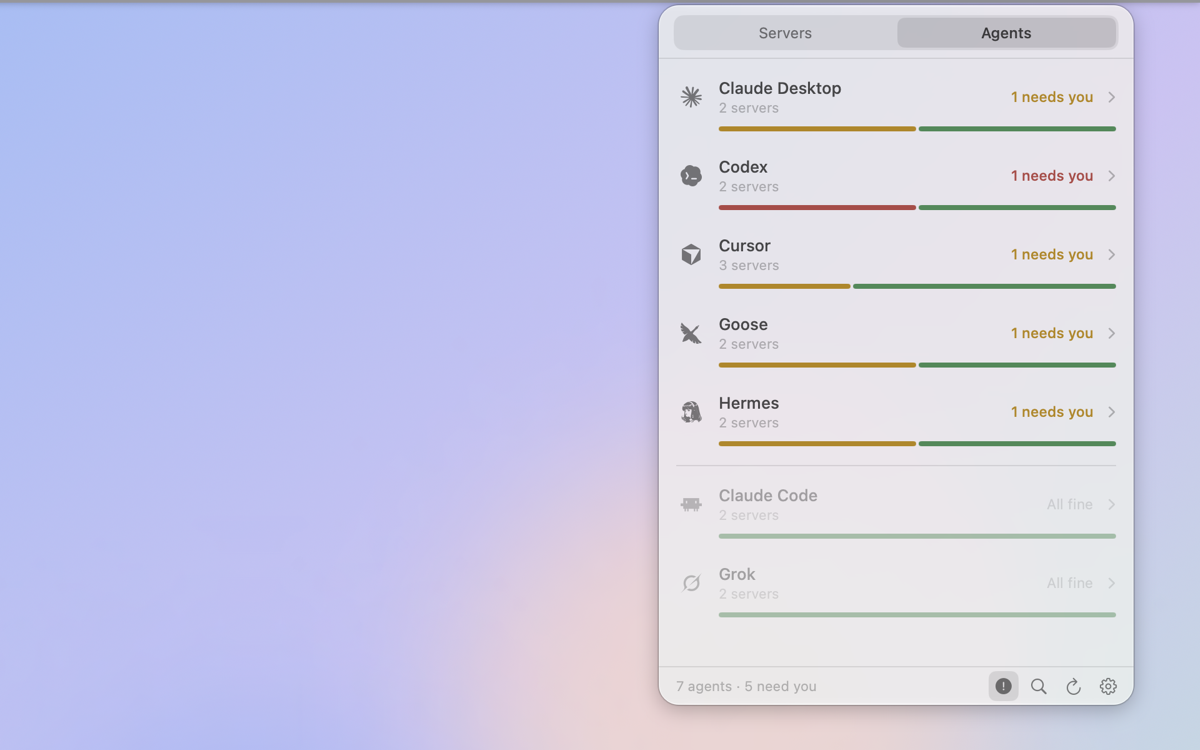
MCP servers are the small programs that give agents like Claude Code, Cursor and Codex their extra tools. mcpock finds them in your agents' config files, starts each one the way the agent would, and tells you which ones are broken, slow, waiting for a sign-in, or set up differently from one agent to the next.
Needs macOS 26 or later on Apple Silicon. Free. Signed and notarized by Apple.
What mcpock does
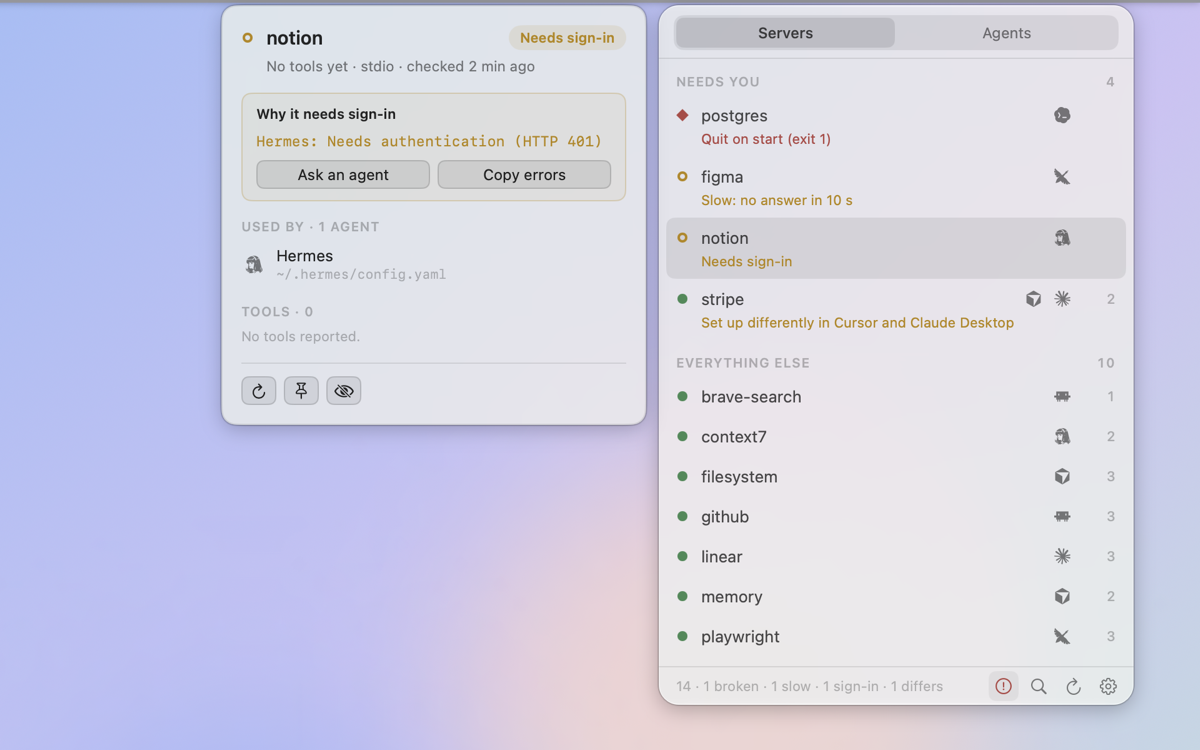
One place to see every MCP server across every agent, instead of five different config files and a task that fails halfway with no reason given.
Finds your servers automatically
mcpock knows the config files of the common agents and also scans the usual config folders for anything written in a standard MCP format. The same server used by several agents shows as one row.
Checks each one for real
It starts a local server (or calls a remote one), does the MCP handshake, asks for its tool list, then closes it. Every 1 minute to 4 hours, or only when you click Refresh.
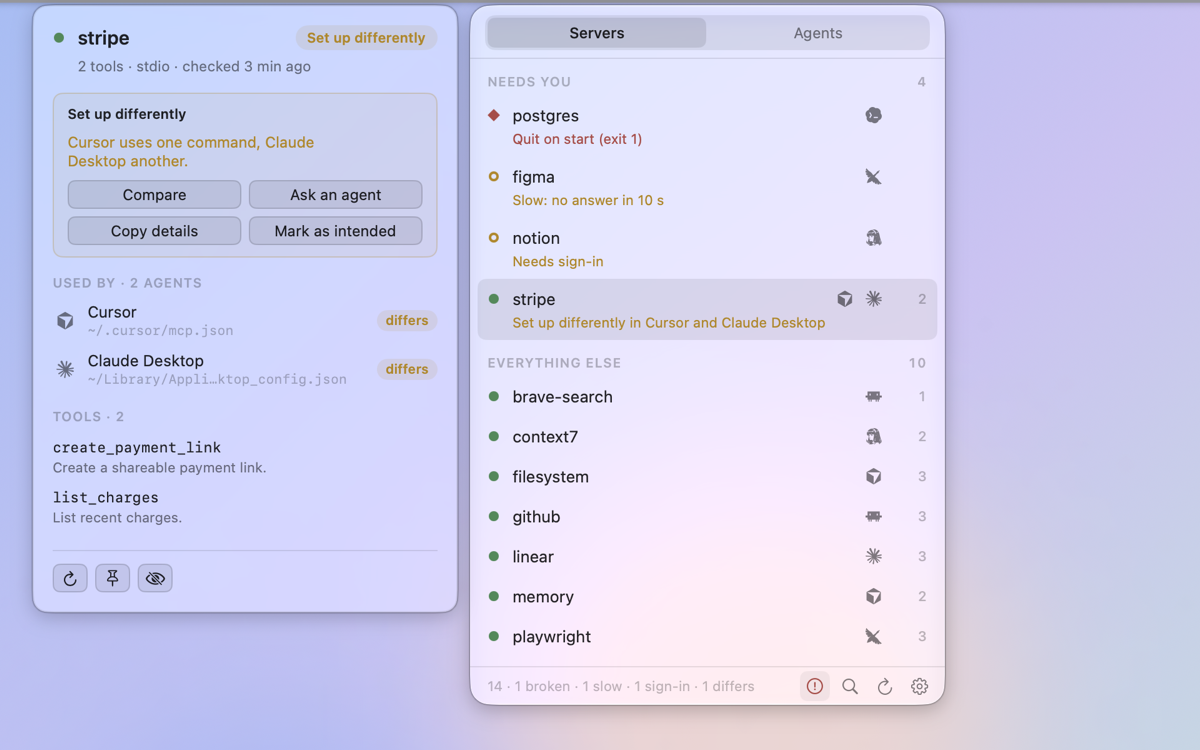
Spots servers set up differently
When one agent launches a different command or address than the others, often an old path, the row says so. Compare shows each agent's version side by side, and you can mark it as intended.
Lets your agents ask it
A small read-only MCP server ships inside the app, so you can say "check my mcpock" to an agent instead of pasting errors by hand.
Health shown as a shape, not just a color
Shapes work for color blindness too, and they let you scan a long list at a glance.
| Shape | Means |
|---|---|
| Filled dot | Fine: the server started and listed its tools. |
| Amber ring | Slow (no answer in 10 seconds) or needs sign-in (HTTP 401/403). |
| Grey ring | Still checking. |
| Red diamond | Broken: could not start, quit on start, or refused the handshake. |
| Grey dash | Paused by you, or runs inside its own app and can't be checked from outside. |
Works with about 30 agents
mcpock reads these agents' config files directly. It also scans the
usual config folders for anything else written in a standard MCP
format (JSON mcpServers, TOML [mcp_servers.*],
or YAML extensions:), so a new agent often just works with
no update needed.
- Claude Code
- Claude Desktop
- Cursor
- Windsurf
- Cline
- Continue
- VS Code
- Codex
- Grok
- Goose
- Hermes
- Kimi Code
- MiniMax
- OpenCode
- aka
- and more, found by scan
See it in the menu bar
Desktop widgets and the Glass theme
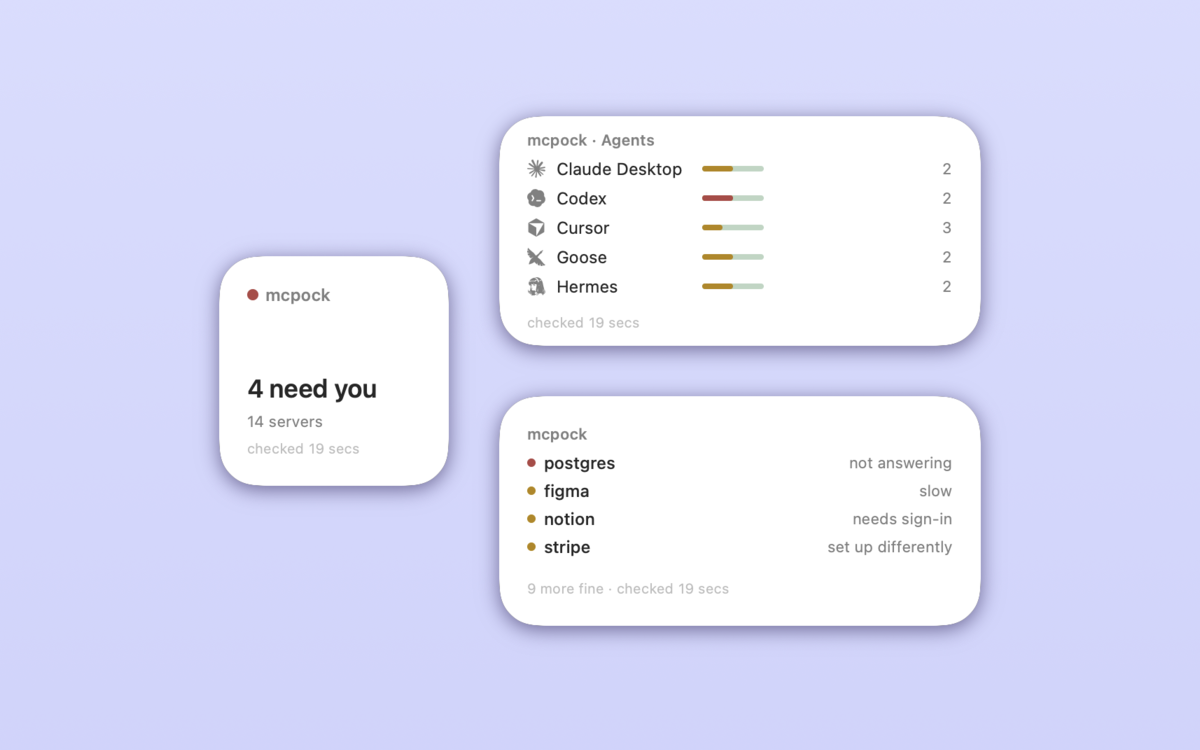
Two ways to see mcpock without opening the menu bar panel.
Desktop widgets
Add the Status, Problems or Agents widget from the desktop (right-click the desktop, Edit Widgets…, search mcpock). They update after every check mcpock runs.
Glass theme
Settings has a Glass appearance that uses Apple's Liquid Glass for the panel, the detail card and Settings, following light and dark mode. On macOS 27 the panel becomes its own see-through window, so the glass shows your real desktop.
Reads your configs. Never sends them anywhere.
mcpock is read-only and stays on your Mac.
- It never edits, moves or rewrites any config file.
- No accounts, no analytics.
- It connects only to the MCP servers already in your own configs, and to mcpock.com to check for updates (you can turn that off).
- Secrets are never kept: API keys and tokens are masked everywhere mcpock shows or stores anything.
Download mcpock
Free, signed and notarized by Apple. Needs macOS 26 or later on Apple Silicon.
Version 1.9.0 · 6.7 MB · What's new · Source on GitHub. mcpock updates itself from here.